 TasteTwice

Know what to order before you order it.
Remember every dish you try and whether to get it again. The next menu becomes an easy call.
Free · No ads · No account
Available in 8 languages
- English
- Español
- Français
- Deutsch
- 简体中文
- 繁體中文
- 日本語
- 한국어
Know the place. Choose the dish.
Open a place to see which dishes earned another order and which to skip. Tap Date night to narrow the list first.
Interactive example using the app’s demo places.
Places
What to order at
Casa Verde Tacos
- Capitol Hill
- Date night
- Tacos
- Al Pastor Tacos♥Get again
- Elote SaladSkip next time
Come back? AgainThat’s about the place. Each dish keeps its own call.
Remember the dish, not just the restaurant.
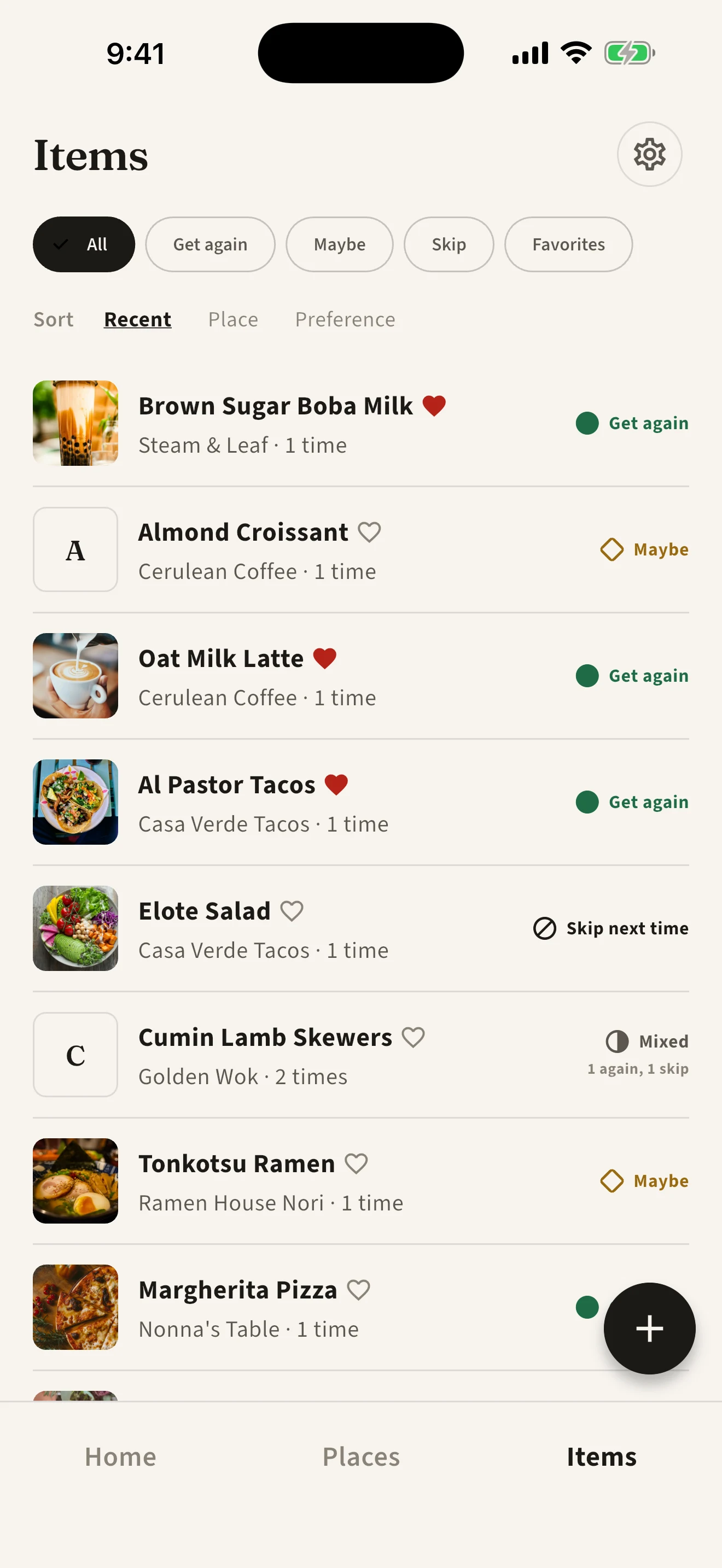
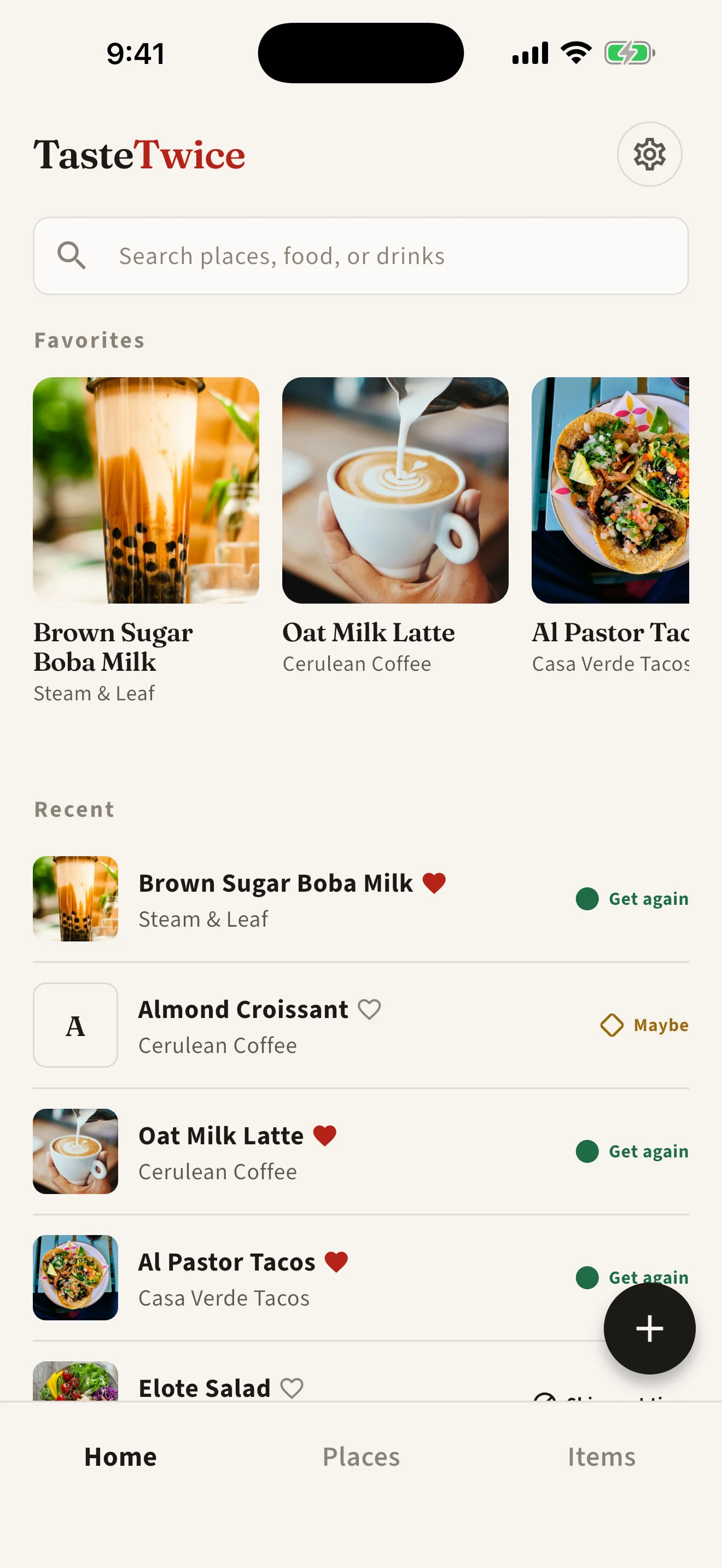
Keep your favorite dishes close and look up what you tried last time. Your photos, notes, and Get again, Maybe, or Skip next time decisions help you choose when the menu comes around again.
- Filter Items to Get again, Maybe, Skip, or Favorites
- Search a place, a dish, a drink, or a word from your notes
Every visit makes the next one easier.
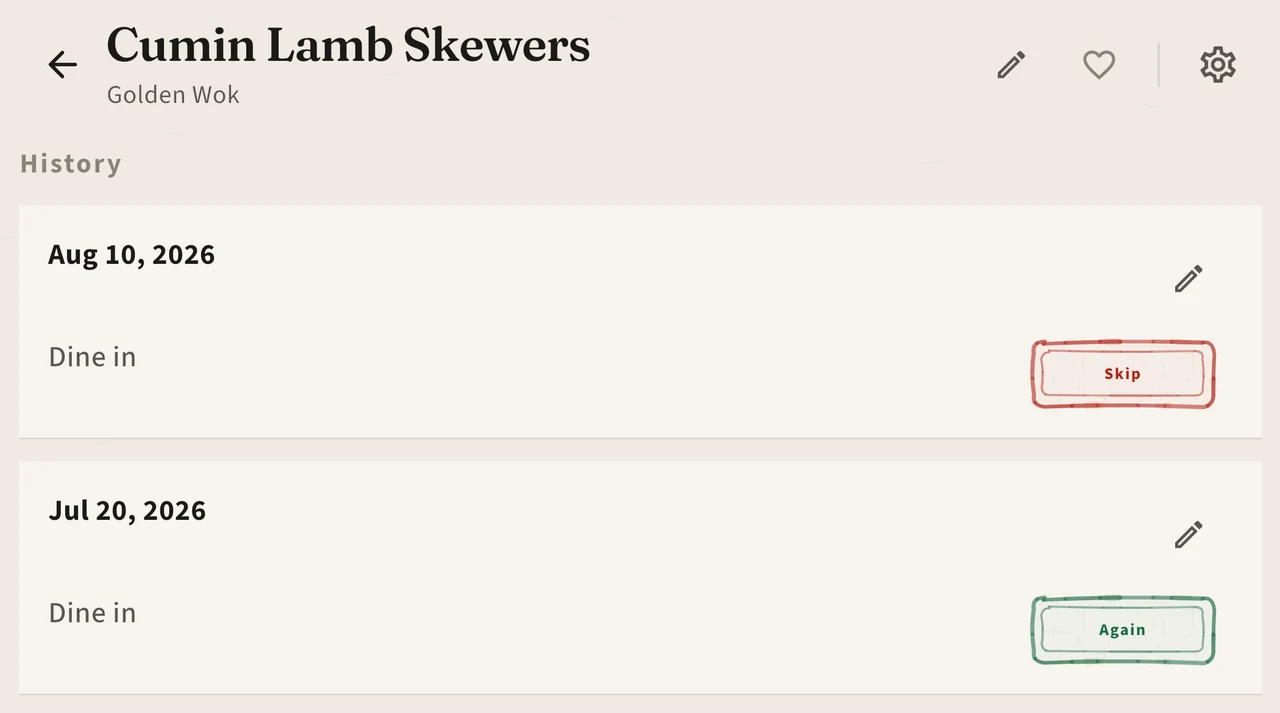
Open a place to see the dishes you tried and how your opinion changed across visits. Keep the details in your notes, whether that was a different branch, a takeaway order, or something you would ask for next time.
Record the visit once. Remember every item.
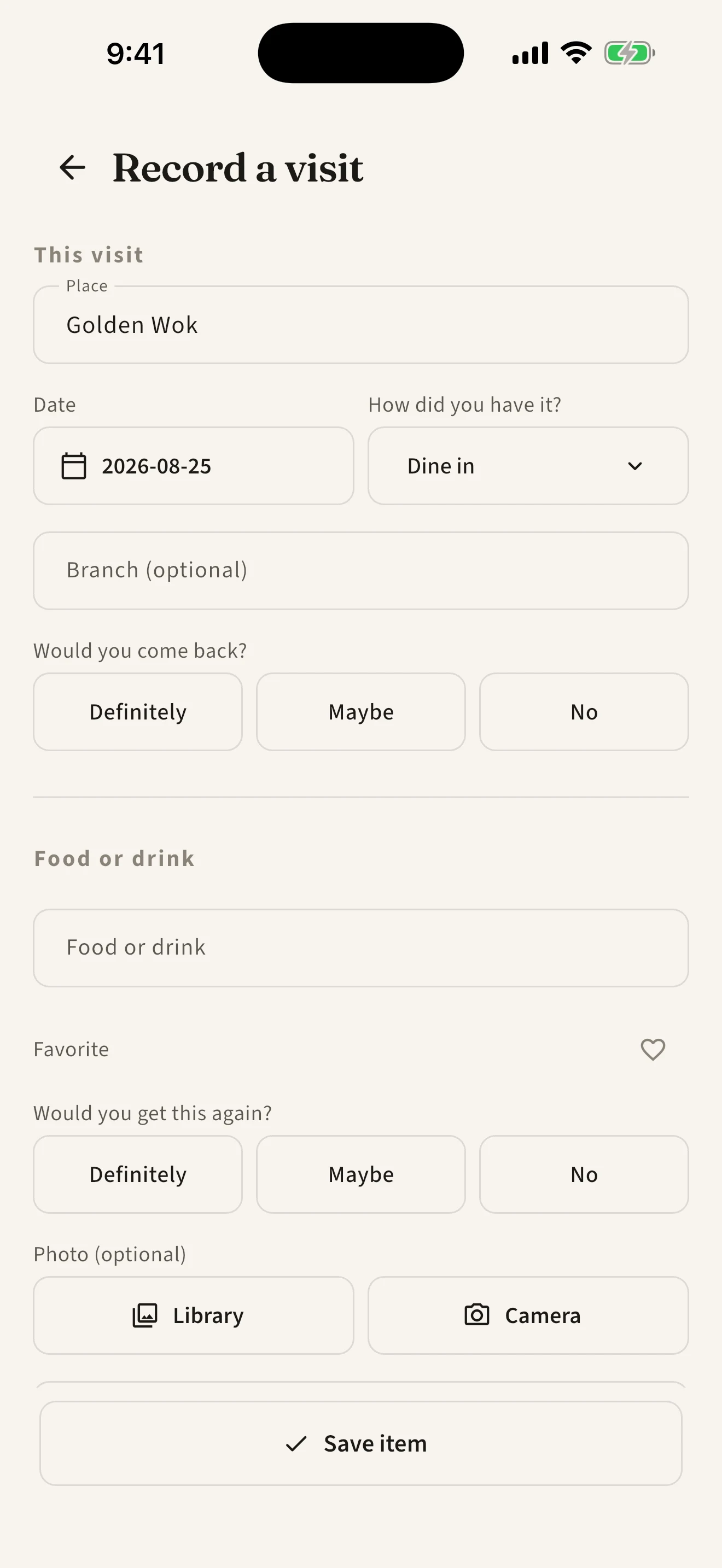
Enter the place and date once, then add the dishes and drinks from that visit. Photos, notes, and prices are optional. A name and a quick decision can be enough to help you order well next time.
- Add a branch or delivery platform when it matters
- Leave a half-finished visit and pick it up later
Questions about TasteTwice
What is TasteTwice?
TasteTwice is a private food memory app that remembers what you tried at restaurants, cafés, bakeries, dessert shops, and delivery spots. It keeps the answer at the dish or drink level: Get again, Maybe, or Skip next time.
How do I remember what to order at a restaurant?
Before ordering, search for the place or dish in TasteTwice, open its history, and filter for Get again, Maybe, or Skip next time. You can see the visit context, repeat decisions, notes, and optional photos before choosing from the menu.
How is TasteTwice different from a restaurant review app?
TasteTwice is your own private record, not a public rating feed. It does not turn a place into a star score or tell everyone what to think. It helps you remember which item you would choose when you see the menu again.
Can I organize restaurants with my own tags?
Yes. Tag places by neighborhood, cuisine, or occasion, such as Date night or Late night. Filter Places by a tag to find somewhere that fits tonight, then open it to see which dishes you would order again. You can rename, merge, and delete tags in Settings.
Can I record the same dish more than once?
Yes. Every real experience becomes a new entry, even when your decision stays the same. If your opinion changes, TasteTwice keeps the history and shows the individual decisions instead of hiding them behind an average.
Can I track dine-in, takeout, and delivery separately?
Yes. Each visit records dine-in or takeout (delivery or pickup), plus an optional branch or delivery platform. That context stays with the visit so you can see whether the same item changed in a different setting.
Can I add photos, notes, or prices?
Yes. Add photos, notes, prices, favorites, and whether you would go back to the place. All of it is optional: a dish name and a quick Get again, Maybe, or Skip is enough.
Does TasteTwice require an account?
No. TasteTwice is designed for local, private use without an account or cloud sync. Your records stay on your device. Free backup export and restore include your library and photos; you choose when and where to keep the archive.
Which languages does TasteTwice support?
TasteTwice is available in English, Español, Français, Deutsch, 简体中文, 繁體中文, 日本語, and 한국어. It follows your phone’s language, or you can pick one in Settings.
Is TasteTwice available on iPhone and Android?
Yes. TasteTwice is on the App Store for iPhone and on Google Play for Android.
Is TasteTwice free?
Yes. TasteTwice is free to download and use, with no ads, no subscription, and no limit on how many places or dishes you record.