 TasteTwice
Keep dine-in and takeout records separate
Some dishes travel well (curries, braised noodles, burritos) while others lose their texture ten minutes out of the kitchen (tempura, thin fries, delicate salads). Tagging each visit as dine-in or takeout lets you see which items hold up for delivery instead of writing off a good restaurant.
Note exact customizations and who ordered what
Write down the detail you always forget on Friday night: "spicy level 2 is plenty," "order broth on the side," "50% sugar with less ice," or "sauce contains peanuts." Recording branch location or delivery app also helps when two locations of the same chain cook differently.
Filter dine-in and takeout in TasteTwice
TasteTwice lets you log each visit as dine-in or takeout with an optional branch or delivery platform, mark every dish or drink Get again, Maybe, or Skip, and filter Places by takeout when you want an easy weeknight order.
Free · iPhone and Android · No account
See how TasteTwice works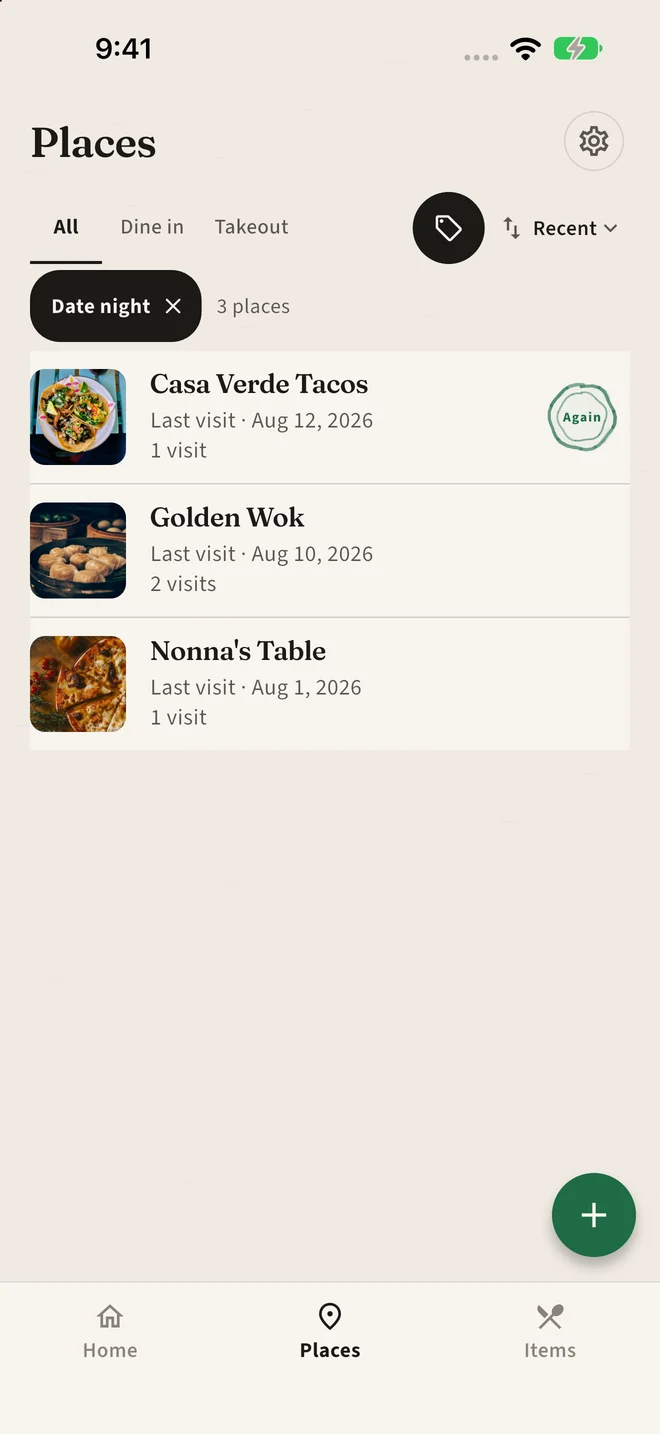
Questions
Can I separate dine-in visits from takeout orders in TasteTwice?
Yes. Every visit records dine-in or takeout plus an optional branch or delivery platform, and you can filter your saved places by either mode.
Can I record drinks and coffee orders alongside restaurant dishes?
Yes. You can log up to 15 dishes and drinks per visit with optional notes, prices, photos, and Get again, Maybe, or Skip decisions.